

Billing
The Billing page shows your current plan, remaining balance, the payment method on file, and invoice history.
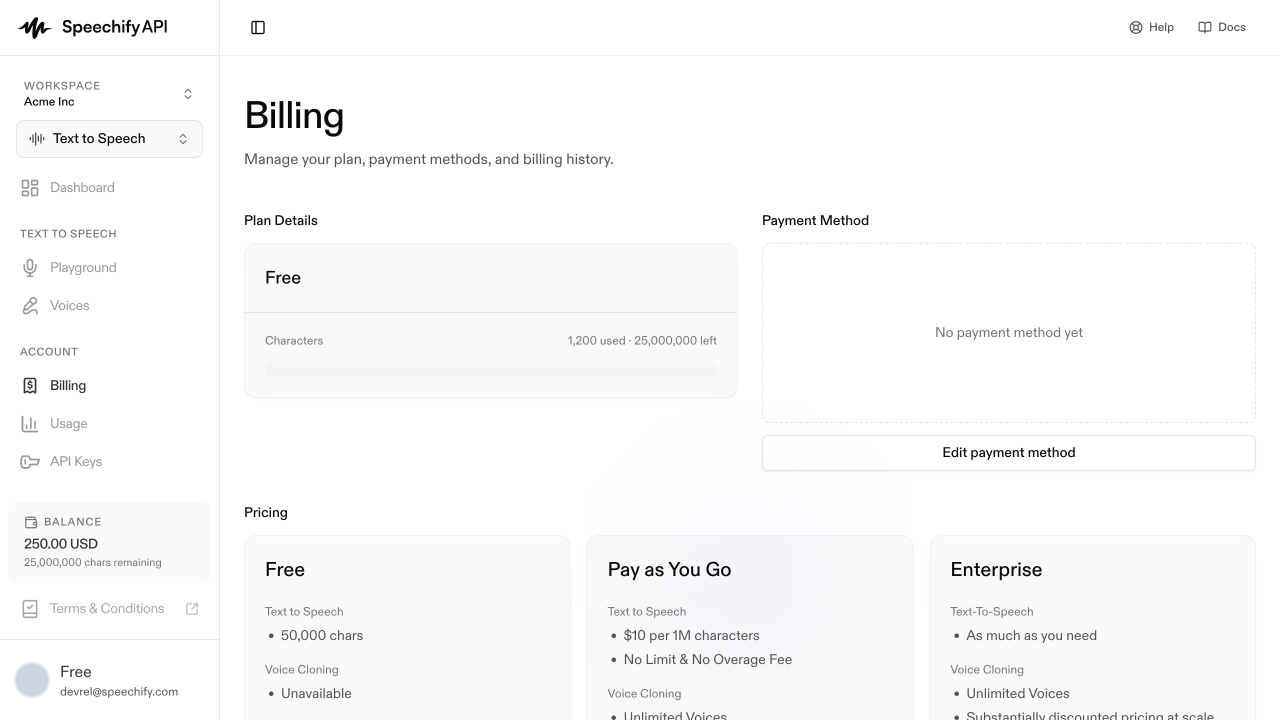
Plan details
Your first workspace is created automatically on a Free plan with trial credits; any additional workspace you create yourself runs on Pay as You Go. Upgrading a Free workspace to Pay as You Go is a one-way change. The card shows:
- Remaining Balance — usage credit left on your account, in USD and character equivalents.
- Auto Recharge — when enabled, your card is charged automatically to top your balance back up once it falls below a threshold. Default: off. While off, your balance is not recharged when it reaches zero.
Pay-as-you-go bills per usage. See Usage for visibility into what you’re spending.
Payment method
Add or update a card under Payment Method. Click Edit payment method to launch the secure form. We don’t store the card directly — it lives with our payment processor and we reference it by token.
If the section shows “No payment method yet”, top-ups and Auto Recharge will fail until you add one.
Invoices
Past invoices appear under Invoices. Each row links to a hosted invoice page with a PDF download. New workspaces with no charges show “No invoices yet”.
Plan changes
Changing plans (e.g. an enterprise or annual tier) isn’t self-serve today. Contact the Speechify team and we’ll move your workspace to the right plan.