

Import from a URL
If your documentation already lives on the web, import it into a knowledge base without re-uploading PDFs. On the knowledge base detail page, click Add URL to open the import dialog — it offers three modes:
Paste up to 250 URLs (one per line). Speechify fetches each page and extracts the main content. Best for a handful of curated pages.
Point at a sitemap.xml and Speechify expands it into pages, importing each. Best when the site publishes a sitemap.
Crawl from a starting URL, following links to ingest the reachable surface. Best for a broad sweep with no sitemap.
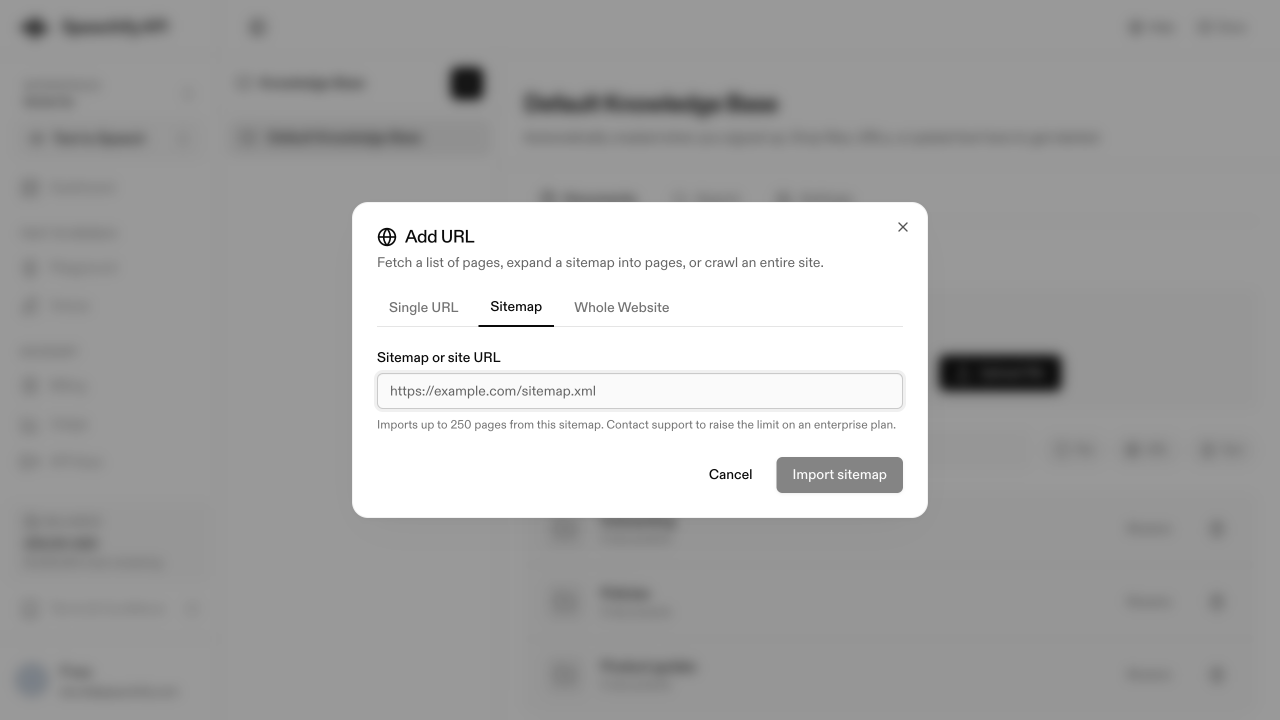
The 250-URL cap applies to Single URL only; sitemap and whole-website imports have their own limits. Contact Speechify support to raise the caps on an enterprise plan.
Once imported, click any URL-sourced document to see the extracted text, source URL, and chunk count. The same panel has an Auto-refresh toggle to re-fetch on a schedule.