

Create an agent
Create a new agent from the Agents list
Open the Agents list
Click Agents in the left sidebar, then + New agent in the top-right.
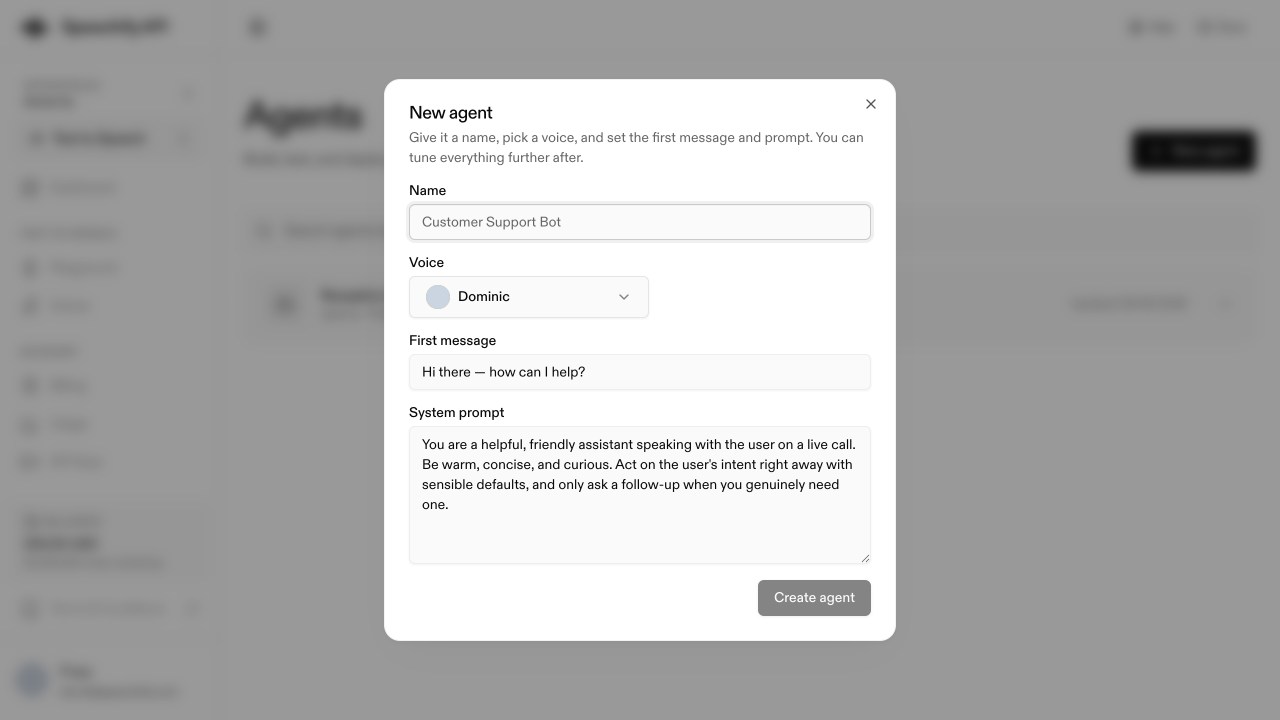
Naming tips
Name agents by role, not persona — “Order confirmation bot” ages better than “Maya v2”. Add a variant when you run several per use case (“Triage (English)” vs “Triage (Spanish)”). Names are searchable in the Agents list, so optimize for findability.
Duplicate an existing agent
Open the ••• menu on an agent’s row (or its detail page) and pick Duplicate agent. The copy carries over the prompt, first message, voice, language, knowledge bases, and widget settings.
Per-agent variables aren’t copied on duplicate yet. If your source agent uses variables in its prompt, recreate them on the duplicate before placing a call.