

Organize with folders
A knowledge base can hold a lot of documents. Folders group them so the list doesn’t become a sea of file names.
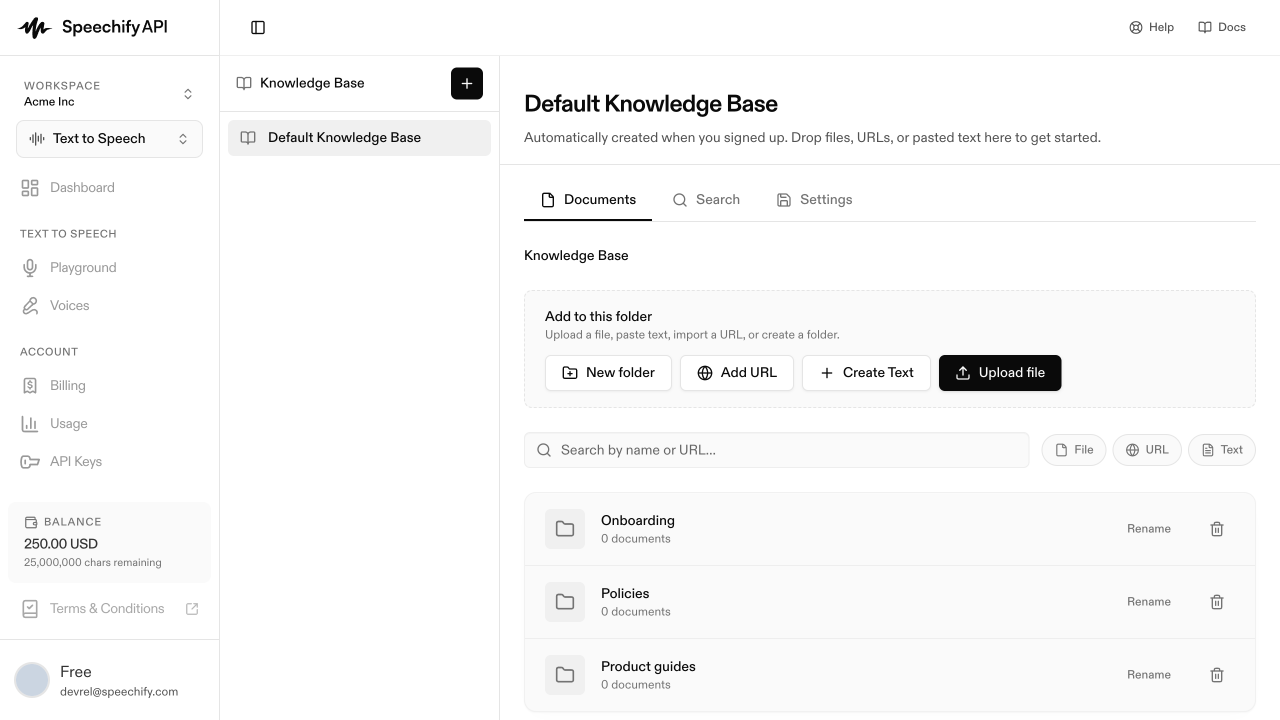
Open a knowledge base, then click New folder in the action bar (beside Upload file, Add URL, and Create Text). Folders can nest, so you can build a shallow tree that matches how you think about the content.
Move documents
Select one or more documents and choose Move to folder. Moving to Root takes a document back out of any folder — a document lives in exactly one folder at a time.
Delete a folder
Deleting a folder doesn’t delete its documents — they move back to Root. You’ll see a confirmation noting the contents first.
Folders are organizational only. They don’t change which agents can use the knowledge base or how retrieval works — an attached agent searches every document, in any folder. Attachment stays per-knowledge-base.