

Upload documents
Knowledge bases hold the documents your agents quote from. From a knowledge base’s detail page you have four ways to add content:
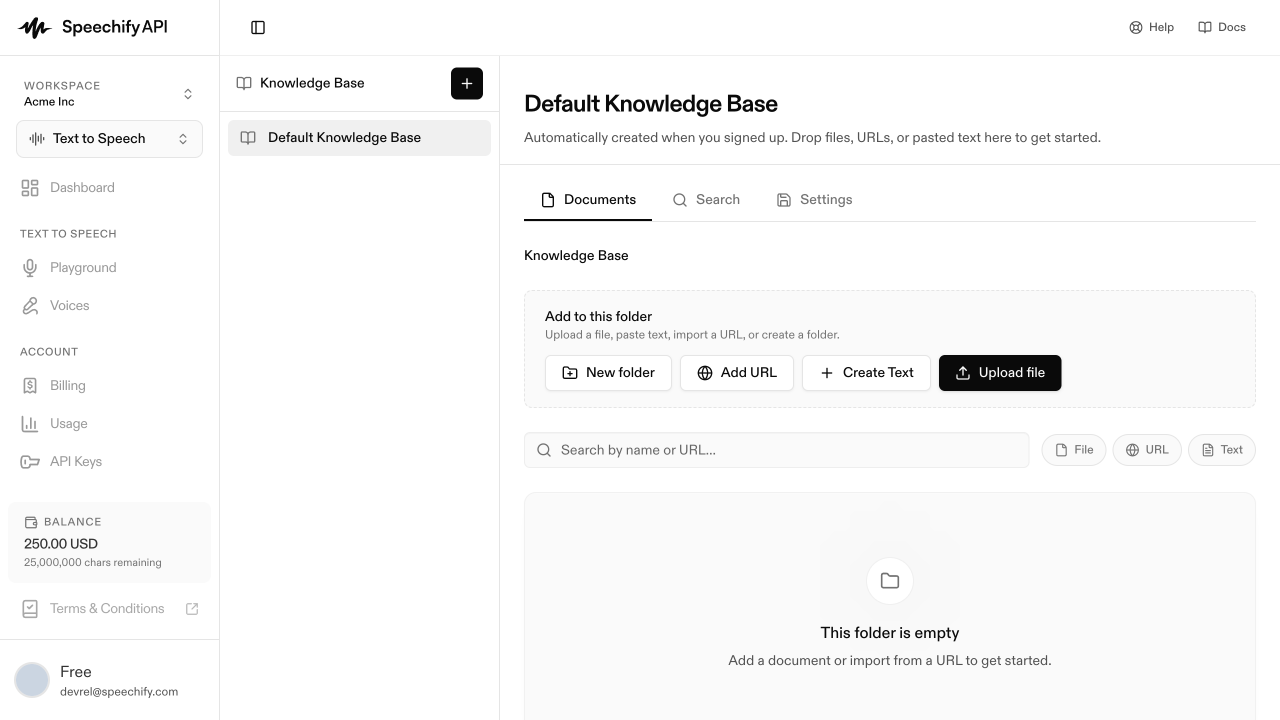
Add a document from your computer. It’s chunked, embedded, and indexed automatically — usually in seconds — and shows Ready when done.
Paste content directly — handy for short snippets, FAQs, or notes, with no file needed.
Pull in web pages — paste URLs, expand a sitemap, or crawl a whole site.
Group a large knowledge base into sub-folders.
Filter the document list
The search bar narrows by name or URL; the chips beside it filter by type — File, URL, Text.
Inspect a document
Click any row to open a side panel with the full content, source, chunk count, folder, the agents that depend on it, and — for URLs — an Auto-refresh toggle.
Update a document
Editing a file or text document in place is coming soon. For now, delete the old version and re-upload. URL documents refresh via the Auto-refresh toggle or by re-importing manually.