

Add a number
The Phone Numbers page has two entry points (top-right, and matching CTAs in the empty state):
An instant Speechify-provisioned trial number — US inbound only. The fastest way to take your first call.
Bring a number from LiveKit, Twilio, or your own SIP trunk (BYOC) — each has its own form.
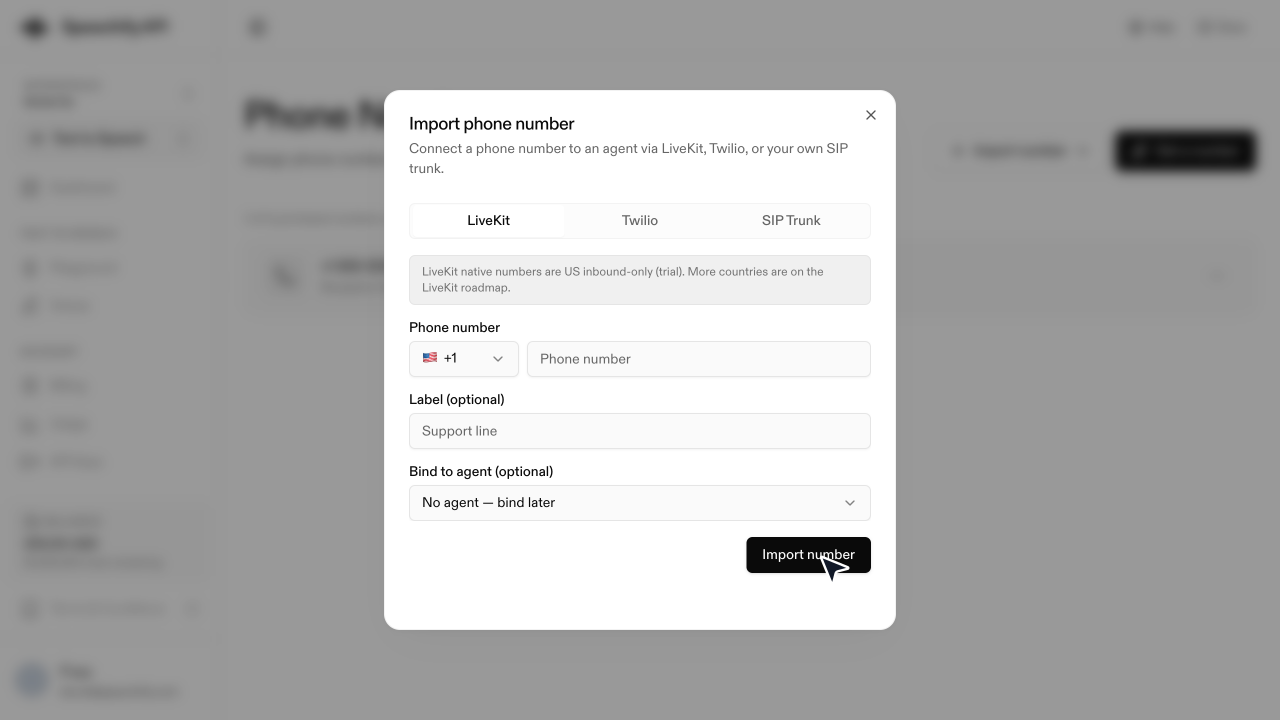
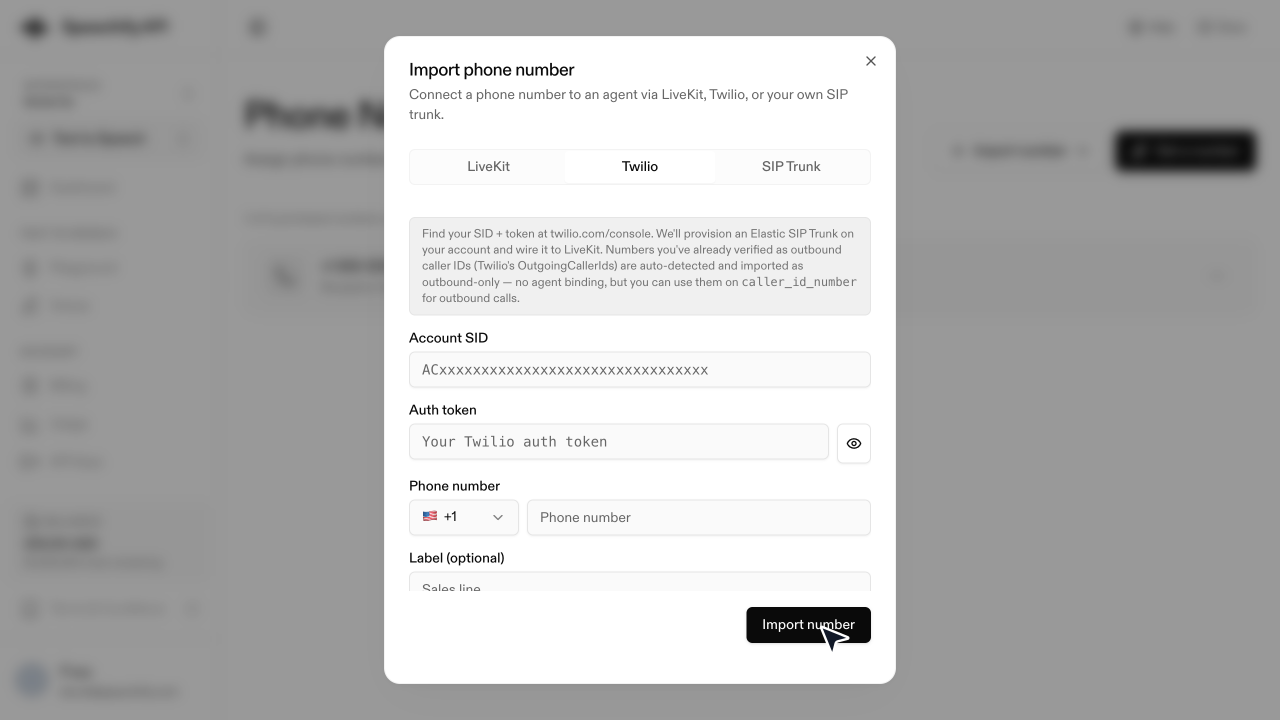
Every import source shares two optional fields: a Label (internal name shown in the list, e.g. Sales line) and Bind to agent (the agent that answers — leave on No agent to attach later).
From LiveKit
A LiveKit-provisioned native number. US inbound only, trial — more countries are on the LiveKit roadmap.
From Twilio
Bring a number you already own on Twilio. Speechify provisions an Elastic SIP Trunk on your Twilio account and wires it to LiveKit for you.
From a SIP trunk (BYOC)
For numbers from any other carrier with SIP support.
Release or delete a number
Open Phone numbers, click the ··· menu on the number’s row, and choose:
- Release (Speechify-managed number) — permanently returns the number to the carrier. Can’t be undone.
- Delete (imported number) — removes it from your workspace and unbinds its agent. You can re-import it later.
You’ll be asked to type the full number to confirm. To change the bound agent, use the same ··· menu → Change agent, then pick another agent or Unbind current agent.